We know home theater - 26th Anniversary
Questions? CALL TOLL FREE 1-888-764-9273


Stackback is one of the most important measurements when planning home theater drapes. It determines how much space your curtains occupy when open. If you do not allow enough stackback, your open drapes can cover part of the screen, block the image, interfere with screen masking, or make the front wall look poorly planned.
Stackback is the amount of space occupied by your draperies when they are open. In simple terms, it is where the curtain fabric goes when you pull the drapes away from the screen, window, or wall opening.
Stackback matters more in a home theater than in a normal room because the drapes are often used around a projection screen, screen wall, or front-wall treatment. If the rod is not wide enough, the open drapes may still sit in front of the screen and cover part of the viewing area.
For professional-style theater drapes, you should plan stackback before ordering rods, motorized tracks, or custom drapes. It is not something to figure out after installation.
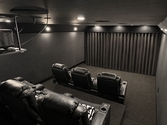
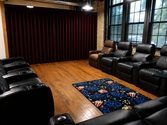
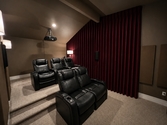
In a dedicated theater room, the front wall is the focal point. Drapes may be used for a screen reveal, blackout control, screen masking, or a full front-wall theater treatment. In every case, stackback affects how clean the installation looks and how well the curtains function.
The open drapes should stack outside the image area. If they do not, they can block part of the screen even when fully open.
A classic theater reveal looks better when the drapes open cleanly and fully expose the screen.
For screen border masking, stackback helps determine where the fabric sits when not covering unused screen area.
Rod width must include the screen or opening width plus enough room for the curtain fabric to stack.
BTX motorized drape systems work best when the drapes are properly sized and given enough room to move.
Too little stackback makes the front wall look cramped and can make even good drapes look undersized.
Screen reveal drapes are the classic theater curtain setup. The drapes sit in front of the screen and open before viewing. This looks best when the drapes open completely outside the image area.
If the rod width is too narrow, the curtains will still cover part of the screen when open. This ruins the effect and can interfere with the projected picture. The fix is simple: plan the rod width with stackback before ordering.
Drapes can also be used for screen masking around the border of a projection screen. This can help frame the image, hide unused screen area, cover extra side space, and create a cleaner professional theater presentation.
Stackback is still important for screen masking. Even if the drapes are not covering the full screen, the fabric still needs room to move and stack without interfering with the image. This is especially important for wide screens, screen walls, and motorized masking applications.
Know the exact image width and height that must remain visible. This is the area the masking treatment should not cover unless intentionally designed to do so.
Measure the side borders, unused screen area, or wall space you want the drapes to cover.
Decide where the drapes should sit when open. This determines how much stackback space is needed.
If the masking is motorized, the track, motor, fabric, and stackback should be planned as one system.
Blackout drapes are often used over windows, glass doors, and bright room openings. Stackback matters here too, especially if you need the window or door to be usable when the drapes are open.
For blackout applications, you also need enough overlap beyond the window to reduce light leakage. Measuring tight to the glass is usually a mistake. Wider rod placement helps both coverage and stackback.
| Draw Type | How Stackback Works | Best Use |
|---|---|---|
| One-Way Draw | All fabric stacks on one side. You need enough stackback room on that side. | Good when one side of the screen or opening has enough clear wall space. |
| Two-Way Draw | Fabric splits in the center and stacks on both sides. | Best for classic theater screen reveals and balanced screen wall layouts. |
The chart below is a guide for determining your rod face if you want the screen exposed when the draperies are opened. The chart is for average fullness and fabric for two-way draw draperies. For one-way draw draperies, deduct 7" from the stackback dimensions.
| Screen Width Not Diagonal |
Recommended Stackback | Recommended Rod Width / Drape Coverage |
|---|---|---|
| 20" | 20" | 40" |
| 26" | 22" | 48" |
| 32" | 24" | 56" |
| 38" | 26" | 64" |
| 44" | 28" | 72" |
| 50" | 30" | 80" |
| 56" | 32" | 88" |
| 62" | 34" | 96" |
| 68" | 36" | 104" |
| 75" | 37" | 112" |
| 81" | 39" | 120" |
| 87" | 41" | 128" |
| 94" | 42" | 136" |
| 100" | 44" | 144" |
| 106" | 46" | 152" |
| 112" | 48" | 160" |
| 119" | 49" | 168" |
| 125" | 51" | 176" |
| 131" | 53" | 184" |
| 137" | 55" | 192" |
| 144" | 56" | 200" |
| 150" | 58" | 208" |
| 156" | 60" | 216" |
| 162" | 62" | 224" |
| 169" | 63" | 232" |
| 175" | 65" | 240" |
| 181" | 67" | 248" |
| 187" | 69" | 256" |
| 194" | 70" | 264" |
| 200" | 72" | 272" |
Wider drapes generally need more room when open.
Taller drapes can create more bulk and visual weight when stacked.
Heavier fabrics such as velour can require more careful planning than lightweight decorative curtains.
Blackout lining adds weight and thickness, which can affect how the drapes stack.
Fuller drapes have more fabric and pleating, which increases the amount of material that stacks.
One-way draw stacks differently than two-way draw. Plan the open position before ordering.
BTX motorized drape systems are a strong choice for home theater curtains, especially when the drapes are heavier, wider, or used as part of the main screen wall. But even a good motorized system needs proper planning.
Stackback affects where the drapes sit when open and how the system looks in use. If the rod or track is too narrow, the motorized drapes may open smoothly but still block part of the screen. The result is a system that works mechanically but fails visually.
Diagonal screen size is not the number used for stackback. Use actual screen width.
A rod that only matches the screen width gives the fabric nowhere to stack outside the image.
Lining adds thickness and weight. That can affect both stackback and motorized operation.
You need enough side space for the drapes to sit when open, especially for screen reveal applications.
Motorized rods and drapes should be planned together. Track width, weight, draw type, and stackback all connect.
Tight measurements can cause poor coverage, light gaps, and a cramped look.
Stackback is the amount of space your drapes occupy when they are open.
Because the open drapes should clear the screen or image area. Without enough stackback, the curtains can block part of the screen even when open.
No. Use the actual physical screen width, not the diagonal screen size.
Yes. Blackout lining adds thickness and weight, which can affect how the drapes stack and how the rod or motorized system performs.
Yes. A one-way draw stacks to one side. As a general guide, deduct 7" from the two-way stackback dimensions.
Yes. BTX motorized rods still need proper rod width and stackback planning so the drapes open clear of the image area.
Drape stackback is not a minor detail. It determines whether your theater curtains open cleanly, clear the screen, work with screen masking, and look like a professional installation.
Measure actual screen width, choose the right draw type, plan rod width, and allow enough stackback before ordering custom home theater drapes or BTX motorized rods. If you get stackback wrong, the entire front wall can look off.